

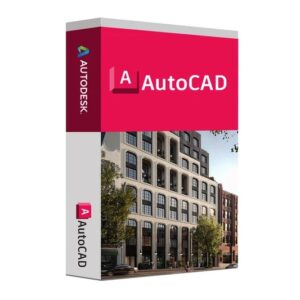
Audesk autocad – Instant Digital Download
Instant Digital Download
100% tested and working
Easy installation instructions
24/7 support available.
Original price was: $95.00.$45.00Current price is: $45.00.
CompareRelated products






Description
AutoCAD 2026 is Autodesk’s fastest and most intelligent release of their flagship CAD platform yet — delivering up to 11× faster file-open speeds and 4× quicker application startup compared to AutoCAD 2025, alongside major AI-powered features including Smart Blocks (BSearch), Connected Support Files for teams, improved Markup Assist, enhanced Activity Insights, and tighter integration with Autodesk Docs. Whether you’re an architect, structural engineer, MEP designer, or product drafter, this is a meaningful upgrade that will speed up every drawing session.
What’s New in AutoCAD 2026?
Before diving into the installation, here is a quick overview of the headline improvements in this release that make the upgrade worthwhile:
Up to 11× faster file open & 4× faster startup — the single biggest quality-of-life improvement in this release, especially noticeable on large DWG files stored on network or LAN drives.
Smart Blocks (BSearch) — AI-powered tool that automatically detects repeated geometry in your drawings and suggests converting it to blocks, saving hours of cleanup work on imported PDFs or legacy drawings.
Connected Support Files — CAD managers can now define one shared set of project-aware support files (fonts, plot styles, hatch patterns, Xrefs) for an Autodesk Docs project, eliminating mismatched file path errors across distributed teams.
Markup Assist enhancements — import JPG, PNG, and PDF markups directly from Autodesk Docs; improved detection of text edits, strikethroughs, and revision clouds from external PDF tools including Adobe.
Activity Insights — “What’s Changed” — a detailed breakdown of all editing activity across collaborators during a session, with enhanced search and filter tools to find drawing history information in seconds.
Layer Assignment Variables (complete set) — for the first time, AutoCAD 2026 lets you control which specific layer hosts each annotation type (text, dimensions, leaders, centerlines, hatches) via dedicated system variables — a long-requested feature for standardising production drawings and enforcing firm standards.
AutoCAD Foundation — redesigned contextual learning experience with guided tips personalised to your workflow, helping new and experienced users discover features faster.
Cross-platform access — work on DWG files across desktop, web, and mobile; AutoCAD for Mac 2026 now runs natively on Apple Silicon (M-series).
Now let’s get it installed.
AutoCAD 2026 System Requirements (Windows)
Confirm your PC meets Autodesk’s official requirements before downloading. Running AutoCAD on underpowered hardware — particularly with insufficient RAM or a slow storage drive — leads to sluggish redraws, instability, and crashes on complex drawings or point-cloud workflows.
Minimum System Requirements
Component Minimum Specification
Operating System Windows 10 or Windows 11 (64-bit only)
Processor (CPU) 2.5–2.9 GHz with 8 logical cores
Memory (RAM) 8 GB
Graphics Card (GPU) 2 GB VRAM, DirectX 11 compliant
Display 1920 × 1080 resolution, True Color
Disk Space 10 GB free (SSD strongly recommended)
.NET Runtime .NET 8 (required)
Pointing Device MS-mouse compliant device
Recommended System Requirements
Component Recommended Specification
Operating System Windows 11 (64-bit)
Processor (CPU) 3.0 GHz+ base speed, 4.0 GHz+ turbo (high single-core frequency is the priority)
Memory (RAM) 32 GB DDR5 (64 GB+ for point clouds or very large architectural drawing sets)
Graphics Card (GPU) 8 GB VRAM, DirectX 12 (106 GB/s bandwidth); dedicated NVIDIA or AMD workstation GPU recommended
Display Full HD to 4K (up to 3840 × 2160) — 4K significantly improves drafting precision on detailed drawings
Disk Space NVMe SSD Gen4+ (OS/app drive); secondary NVMe SSD for active project files
⚠️ Key performance notes:
AutoCAD is a frequency-bound, primarily single-threaded application. A high-clock-speed consumer CPU (e.g. Intel Core Ultra 9 or AMD Ryzen 9) will outperform a many-core workstation CPU with lower boost speeds for everyday drafting tasks. Prioritise single-core turbo speed when choosing hardware.
DirectX 12 is required to use the Fast visual styles introduced in recent AutoCAD releases. DirectX 11 is sufficient for all standard visual styles.
.NET 8 must be installed — AutoCAD 2026 will not launch correctly without it. The installer attempts to add it automatically, but verify this manually if you encounter launch problems.
AutoCAD 2026 is supported on both Windows 11 and Windows 10 (64-bit). Autodesk recommends Windows 11 for the best performance and full feature support.
There are no reviews yet.